When I start working on the digital marketing of a new business, I don’t immediately launch Google Ads, boost posts on Instagram, or start creating content.
I first build the foundation.
This is also the part of digital marketing that clients rarely see.
There is no campaign to screenshot. No impressive dashboard full of leads. No new social media post to point to.
It is mostly invisible work.
But in my experience, this setup is what separates a campaign you can actually analyze and improve from one where you are constantly guessing.
Before spending even the first dirham on marketing, I want to answer one question:
If someone discovers the business, visits the website, submits an enquiry, calls, sends a WhatsApp message, becomes a qualified lead, and eventually turns into a customer — can we track that journey?
If the answer is no, I don’t consider the business fully ready to scale its digital marketing.
You can generate hundreds of leads, but without the right foundation, you may never properly understand:
- Which marketing channel generated the lead
- Which campaign actually worked
- Which keyword brought the customer
- What the visitor did before submitting an enquiry
- Whether the sales team followed up
- Whether the lead was genuinely qualified
- Whether the lead eventually became a customer
- How much revenue the marketing activity contributed
That is why the first stage of almost every digital marketing project I work on is what I call:
Stage 0: Setup — Before Spending $1
This stage is not about generating traffic.
It is about making sure the business is ready to be discovered, receive traffic, measure what happens, capture leads, and understand which marketing activities are actually producing business results.
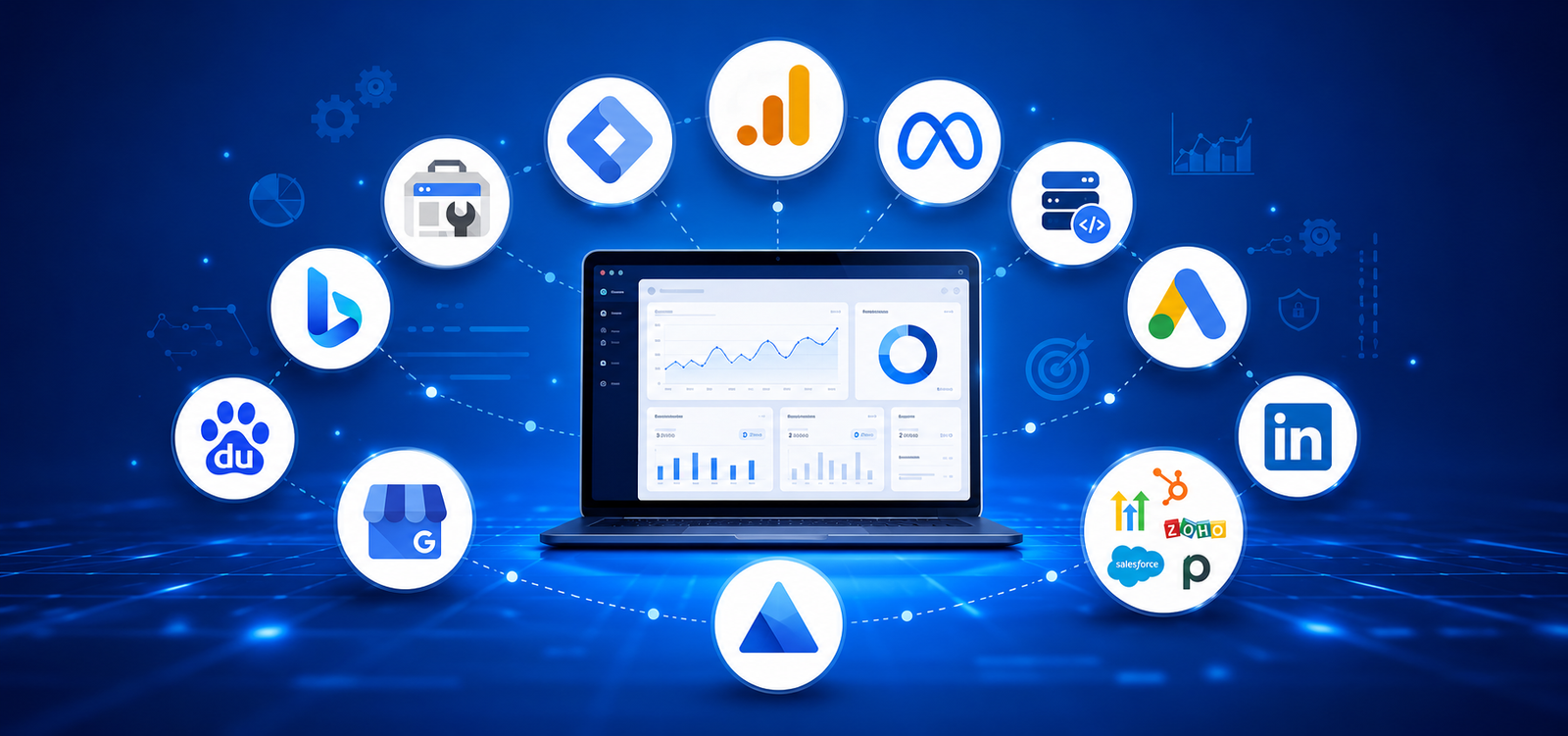
My initial digital marketing setup normally covers five main areas:
- Analytics and website tracking
- Search engine visibility
- Local business presence
- Advertising and attribution tracking
- CRM and lead management
Here is how I approach it.
Step 1: Install Google Analytics 4
The first thing I normally set up is Google Analytics 4.
Google Analytics helps me understand what is happening on the website.
At a basic level, I want to know:
- How many people are visiting?
- Where are they coming from?
- Which pages are they visiting?
- How are they interacting with the website?
- Which marketing channels are bringing traffic?
- Which visitors are completing important actions?
But simply installing Google Analytics is not enough.
The real value comes from tracking actions that actually matter to the business.
Depending on the type of business, I may track:
- Contact form submissions
- Quote requests
- Phone number clicks
- WhatsApp clicks
- Email clicks
- Appointment bookings
- Brochure downloads
- Job applications
- Purchases
- Other important calls to action
The goal is to move beyond saying:
“We received 5,000 website visitors this month.”
Instead, I want to be able to say:
“Organic search generated 1,200 visitors and 35 enquiries, while paid search generated 800 visitors and 62 enquiries.”
These are only example numbers, but they demonstrate an important difference.
Traffic alone doesn’t tell me whether marketing is working.
Once conversion tracking is in place, I can start comparing channels based on the actions that matter to the business rather than simply comparing visitor numbers.
Step 2: Set Up Google Tag Manager
Next, I install Google Tag Manager.
For me, Google Tag Manager becomes the central management system for much of the website’s marketing tracking.
Instead of manually adding different tracking scripts throughout the website, I can manage many of the tracking requirements through one Tag Manager container.
Depending on the project, this may include:
- Google Analytics events
- Google Ads conversion tracking
- Meta Pixel events
- LinkedIn Insight Tag
- Form submission tracking
- Phone click tracking
- WhatsApp click tracking
- Email click tracking
- Button interactions
This also makes future tracking changes easier.
For example, if the business launches a new landing page six months later with a “Book a Consultation” button, I can configure the required tracking without rebuilding the entire analytics setup.
The important part is not simply having Google Tag Manager installed.
It is having a clean, documented tracking structure that can continue growing with the business.
Step 3: Define What Actually Counts as a Conversion
Before configuring conversion tracking, I identify which actions actually matter to the business.
For a service business, the main conversions might be:
- Contact form submission
- WhatsApp enquiry
- Phone call
- Consultation booking
For an e-commerce business:
- Add to cart
- Begin checkout
- Purchase
For a recruitment business:
- Client enquiry
- CV submission
- Job application
Not every action has the same value.
Someone visiting the contact page is not the same as someone submitting an enquiry.
Someone clicking a WhatsApp button is not necessarily the same as someone starting a meaningful sales conversation.
And a lead is not automatically a qualified lead.
This distinction becomes particularly important when advertising platforms start optimizing campaigns based on conversion data.
If I tell an advertising platform that every WhatsApp click is a valuable conversion, the platform may become very good at finding people who click WhatsApp.
But that doesn’t necessarily mean it will find people who are likely to become customers.
The platform is optimizing based on the signal we give it.
That is why I define the conversion structure before aggressively running campaigns.
Where possible, I separate micro-conversions from genuine business conversions.
For example:
Secondary conversions
Page engagement → Brochure download → WhatsApp click
Primary conversions
Enquiry submitted → Consultation booked → Qualified lead
This gives me a much clearer measurement structure from the beginning.
Step 4: Set Up Google Search Console
Once the website analytics are ready, I make sure Google can properly discover and understand the website.
I connect the website to Google Search Console, verify ownership, and submit the XML sitemap.
I also check:
- Page indexing
- Sitemap status
- Crawl issues
- Core Web Vitals
- Security issues
- Manual actions
- Search queries
- Organic impressions
- Organic clicks
Google Analytics and Google Search Console answer two different questions.
Google Search Console: How are people discovering the website through Google Search?
Google Analytics: What are those people doing after they reach the website?
I want both from the beginning.
Search Console also becomes extremely valuable later when working on SEO because it gives me actual search performance data directly from Google.
Step 5: Set Up Bing Webmaster Tools
I also connect the website to Bing Webmaster Tools.
Google is the dominant search engine in many of the markets I work with, but that doesn’t mean I want to completely ignore other search engines.
The additional setup is relatively simple.
I normally:
- Verify the website
- Submit the XML sitemap
- Check indexing
- Review crawl issues
- Monitor available search performance data
- Review SEO recommendations
Where appropriate, I also configure IndexNow.
IndexNow allows participating search engines to be notified when URLs are added, updated, or removed instead of relying entirely on normal crawling to discover those changes.
For websites that regularly publish or update content, I consider this a useful addition to the search setup.
Step 6: Consider Other Search Engines Based on the Market
I don’t believe every business needs to be registered with every search engine or marketing platform available.
The setup should always reflect the actual target audience.
For example, if a business is targeting Chinese customers or has a genuine strategy for the Chinese market, I may consider setting up Baidu’s webmaster tools and reviewing the website’s visibility there.
If that market has no relevance to the business, it may not be a priority.
The principle I follow is simple:
Be present where your customers are actually searching.
The same principle applies to search engines, social platforms, directories, and advertising channels.
The goal is not to have the longest possible list of marketing tools.
The goal is to build the right digital infrastructure for that particular business.
Step 7: Create and Optimize the Google Business Profile
For businesses that are eligible for a local business listing, one of my next priorities is setting up or optimizing the Google Business Profile.
This is especially important for businesses that depend on local discovery.
Someone may search for:
- “Accounting firm near me”
- “Nursery in Dubai”
- “Construction company in Dubai”
Or they may simply search for the company’s name.
In both situations, the Google Business Profile can become one of the most visible parts of the company’s digital presence.
I make sure the profile has accurate and complete information, including:
- Correct business name
- Primary business category
- Relevant secondary categories
- Address or service area, where applicable
- Phone number
- Website
- Opening hours
- Business description
- Services
- Logo
- Cover image
- Business photos
I also make sure that the core business information is consistent with what appears on the company’s website and other important online listings.
But creating the profile is only the beginning.
Over time, the business should continue to:
- Add relevant new photos
- Keep opening hours updated
- Update services when required
- Respond to customer reviews
- Encourage genuine customers to share feedback
- Keep business information accurate
For a local business, I treat the Google Business Profile as an active digital marketing asset rather than something that is created once and forgotten.
Depending on the business and target market, I may also consider platforms such as Bing Places and Apple Business Connect.
Step 8: Create a Consistent UTM Tracking Structure
One of the most overlooked parts of marketing measurement is consistent campaign naming and UTM tracking.
Without a proper naming structure, analytics data can quickly become messy.
For example, the same traffic source might appear as:
- fb
- meta
- paid-social
Technically, all of these could represent traffic from the same platform.
But analytics tools may treat them as different sources.
That makes reporting unnecessarily difficult.
Before running campaigns, I prefer to establish a consistent UTM naming convention.
A typical tracked campaign URL may include:
- utm_source
- utm_medium
- utm_campaign
- utm_content
- utm_term
For example, I may structure campaigns so that I can later identify:
Source: Where did the visitor come from?
Medium: What type of marketing generated the visit?
Campaign: Which specific campaign was responsible?
Content: Which advertisement or creative was used?
Term: Which keyword or targeting element was involved, where relevant?
The exact naming convention can vary between businesses.
What matters most is consistency.
A simple documented naming structure prevents a lot of reporting problems later.
It also becomes extremely valuable when the same source information is passed into the CRM.
Instead of knowing only that a lead came from “the website,” I want to get as close as possible to knowing:
Source → Campaign → Landing Page → Lead → Qualified Opportunity → Customer
Step 9: Set Up Google Ads Conversion Tracking
If the business is planning to run Google Ads, conversion tracking needs to be ready before the campaigns start.
Without conversion tracking, I may know how much money was spent and how many people clicked the advertisement.
But that isn’t enough.
Imagine two keywords:
Keyword A
100 clicks
AED 500 spent
AED 5 cost per click
Keyword B
50 clicks
AED 700 spent
AED 14 cost per click
Looking only at clicks and cost, Keyword A appears better.
But once conversions are properly tracked, the picture could look completely different:
Keyword A
100 clicks → 1 lead
AED 500 cost per lead
Keyword B
50 clicks → 12 leads
Approximately AED 58 cost per lead
These are example numbers, but they demonstrate why clicks and CPC alone cannot tell me whether a campaign is working.
A cheap click that never converts isn’t necessarily valuable.
This is why I don’t like launching campaigns first and deciding to “set up tracking later.”
I want the measurement foundation ready before the first campaign starts.
Step 10: Set Up Meta Pixel
If the business plans to advertise on Facebook or Instagram, I set up the Meta Pixel.
The Pixel helps us understand what users do on the website after interacting with Meta advertising.
Depending on the business, I may track events such as:
- Page views
- Leads
- Registrations
- Add to cart
- Checkout
- Purchases
This helps with campaign measurement, optimization, and audience building.
For example, we may eventually want to build an audience of people who visited a particular service page but didn’t complete an enquiry.
However, I don’t consider installing only the browser-based Pixel to be the complete setup for every business anymore.
Step 11: Configure Meta Conversions API Where Appropriate
Depending on the website and technical setup, I also consider configuring Meta’s Conversions API.
The Meta Pixel primarily sends website event information through the visitor’s browser, while Conversions API can send supported event data through a server-side or platform integration.
Using both can help create a more resilient measurement setup when implemented correctly.
One important part of this setup is event deduplication.
If the same lead event is sent through both the Pixel and Conversions API, Meta needs to understand that both signals represent the same event rather than two separate leads.
After configuration, I test the events carefully before relying on the data for campaign decisions.
The goal isn’t simply to install more tracking technology.
It is to improve the reliability of the data being used to make marketing decisions.
Step 12: Install the LinkedIn Insight Tag for Relevant B2B Businesses
For B2B businesses, I also consider installing the LinkedIn Insight Tag.
This is particularly relevant when the target audience includes:
- CEOs
- Founders
- Business owners
- HR leaders
- Finance leaders
- Procurement teams
- Senior decision-makers
Even if LinkedIn advertising isn’t being launched immediately, having the appropriate tracking infrastructure in place can be useful when campaigns begin later.
Again, I don’t install every advertising platform’s tracking code on every website.
The setup should reflect the actual marketing strategy.
Step 13: Install Microsoft Clarity
One of my favourite free tools for understanding website behaviour is Microsoft Clarity.
Analytics tells me what happened.
Clarity can help me investigate how people are actually interacting with the website.
Using heatmaps and session recordings, I can identify patterns such as:
- Where visitors are clicking
- How far they are scrolling
- Where they appear to get stuck
- Whether important buttons are being ignored
- Whether people are clicking non-clickable elements
- Whether mobile visitors are struggling with the layout
For example, Google Analytics might show that a landing page receives significant traffic but generates very few enquiries.
That tells me there may be a problem.
Clarity can help me investigate why.
Maybe visitors aren’t reaching the enquiry form.
Maybe the CTA isn’t prominent enough.
Maybe the mobile experience is creating friction.
Maybe users are trying to interact with something that isn’t clickable.
This is why I like combining quantitative analytics with actual user behaviour analysis.
The numbers show me where to investigate.
The behaviour data can help me understand what might be happening there.
Step 14: Connect Leads to a CRM
Tracking a lead is only half the job.
The next question is:
What happens after the lead arrives?
This is where many businesses lose visibility.
A lead comes through Meta and stays inside Meta.
Another comes through the website and lands in someone’s email inbox.
A WhatsApp enquiry reaches another employee.
Google Ads leads are tracked somewhere else.
After a few weeks, nobody has a complete picture of what happened.
This is why one of my most important rules is:
Never keep your leads only inside an advertising platform.
Meta and Google Ads are advertising platforms.
They shouldn’t be the only place where customer enquiries are stored and managed.
I prefer having a CRM as the central place where leads are managed.
Depending on the business’s requirements and budget, this could be:
- HubSpot
- Zoho CRM
- GoHighLevel
- Salesforce
- Pipedrive
The specific CRM is less important than having a proper process and making sure the team actually uses it.
A simple CRM that everyone updates consistently can provide far more value than an advanced system that nobody maintains properly.
Step 15: Capture the Marketing Source Inside the CRM
Getting the lead into the CRM is not enough.
I also want to preserve as much useful source information as possible.
Depending on the technical setup, this may include:
- Original source
- Campaign
- Landing page
- UTM parameters
- Google Click ID or other platform identifiers where appropriate
- Date of first enquiry
- Service requested
This creates the connection between marketing and sales.
Without this connection, marketing may report:
“We generated 100 leads.”
Sales may report:
“We closed 10 customers.”
But nobody can confidently explain which marketing activities contributed to those customers.
The closer I can connect the original marketing source to the final sales outcome, the more useful the data becomes.
Step 16: Build a Clear Lead Qualification Process
Once leads enter the CRM, I want to know what happens to them.
A simple lead flow might look like:
New Lead → Contacted → Qualified → Proposal Sent → Won / Lost
The exact stages depend on the business.
A recruitment company will have a different process from an accounting firm, construction company, nursery, or e-commerce business.
But every lead should eventually have a clear status.
I also prefer capturing the reason when an opportunity is lost.
For example:
- Not qualified
- No response
- Wrong service
- Outside budget
- Competitor selected
- Timing issue
- Duplicate enquiry
This information becomes useful for both marketing and sales.
It allows us to move from asking:
“How many leads did marketing generate?”
to:
“How many qualified opportunities did marketing generate?”
And eventually:
“Which marketing channels are actually contributing to customers and revenue?”
That is where marketing reporting becomes much more meaningful.
Step 17: Track Lead Quality Back to the Marketing Source
This is where the entire setup starts becoming powerful.
Imagine two campaigns.
Campaign A
100 leads
AED 20 cost per lead
Total spend: AED 2,000
Campaign B
30 leads
AED 50 cost per lead
Total spend: AED 1,500
Looking only at cost per lead, Campaign A appears to be the obvious winner.
But after the sales team qualifies the leads:
Campaign A
100 leads → 5 qualified opportunities
AED 400 per qualified opportunity
Campaign B
30 leads → 18 qualified opportunities
Approximately AED 83 per qualified opportunity
These are example numbers, but they illustrate why lead volume and cost per lead should not always be the final measures of marketing performance.
Campaign B looks more expensive at the lead level.
But it is significantly more efficient at generating qualified opportunities.
A cheap lead isn’t necessarily a good lead.
A campaign with a higher cost per lead may ultimately be more valuable if those leads have a much stronger chance of becoming customers.
This is why I want marketing reporting to eventually follow the complete journey:
Marketing Source → Visitor → Lead → Qualified Lead → Opportunity → Customer → Revenue
The closer we get to that complete picture, the better our marketing decisions can become.
Step 18: Test the Entire Journey Before Launching
Before spending money on advertising, I test everything myself.
I go through the same journey that a potential customer would take.
For example:
- Visit the landing page.
- Manage the consent options where applicable.
- Click the main call-to-action.
- Submit a test enquiry.
- Check whether the analytics event fired.
- Check whether the advertising platform recorded the conversion.
- Confirm that the lead entered the CRM.
- Check whether the marketing source was captured correctly.
- Verify that the correct person received the lead.
- Confirm that the lead can move through the qualification process.
I also test different devices and common conversion paths where possible.
For example:
- Desktop form submission
- Mobile form submission
- Phone click
- WhatsApp click
- Direct campaign landing page
If one part of this journey is broken, I would rather discover it with a test enquiry than after spending thousands on advertising.
Sometimes the problem isn’t obvious.
The lead may successfully reach the sales team while the campaign source is missing from the CRM.
From the sales team’s perspective, everything appears to be working.
Three months later, when someone asks which campaign generated the customers, the data simply isn’t there.
That is exactly the type of problem Stage 0 is designed to prevent.
My Stage 0 Digital Marketing Setup Checklist
Before actively spending on digital marketing, my initial setup normally includes:
Analytics & Tracking
- Google Analytics 4
- Google Tag Manager
- Conversion and event tracking
- Micro and primary conversion definitions
- Microsoft Clarity
Search Visibility
- Google Search Console
- XML sitemap submission
- Bing Webmaster Tools
- IndexNow where relevant
- Baidu or other search platforms where relevant
Local Presence
- Google Business Profile
- Bing Places where relevant
- Apple Business Connect where relevant
- Consistent business information
Advertising Measurement
- Google Ads conversion tracking
- Meta Pixel
- Meta Conversions API where appropriate
- LinkedIn Insight Tag for relevant B2B businesses
Attribution
- UTM naming convention
- Campaign naming structure
- Lead source capture
- Landing page tracking
Lead Management
- CRM integration
- Lead qualification stages
- Lost-lead reasons
- Sales outcome tracking
- Marketing source connected to CRM records
Quality Assurance
- End-to-end conversion testing
- Mobile testing
- Desktop testing
- CRM source verification
- Conversion tracking verification
This may look like a lot of work before launching a single campaign.
But that is exactly the point.
Once marketing starts, I don’t want to spend the next three months trying to figure out where the leads came from, whether the tracking is accurate, or whether the campaigns are actually generating business opportunities.
I want that foundation ready from the beginning.
Why I Call This Stage 0
Most businesses think digital marketing starts with SEO, social media, content, or paid advertising.
For me, it starts one step earlier: making sure the business can be discovered, marketing can be measured, and leads can be properly managed.
The foundation is simple:
Search Visibility → Business Discovery → Website Tracking → Attribution → Advertising Measurement → CRM → Qualified Leads → Revenue
Ultimately, I want to connect:
Marketing Spend → Traffic → Leads → Qualified Opportunities → Customers → Revenue
Perfect attribution is not always possible because customers often interact with multiple channels before converting. But that is not a reason to ignore measurement.
The goal is to build the strongest tracking and lead management foundation possible from day one.
Because good digital marketing is not just about generating more clicks or leads. It is about understanding what is actually helping the business grow.
And for me, that starts before spending the first dirham.